Guides
Tower of Hell Beginner Tips: Gears, Coins, Skill Tree and How to Climb Faster
Practical Tower of Hell tips: how rounds and coins work, which gears help most, how skill points are earned, and habits that help you climb further.
 Tower of Hell 26.1K playing
Tower of Hell is a randomly generated obby with no checkpoints at all. If you fall, you go back to the bottom. That makes it hard for new players, but a few habits and the right gear choices make a big difference. This guide covers how a round works, how coins and skill points work, which gears are worth it, and tips from the community wiki. Details are as of October 2026.
How a round works
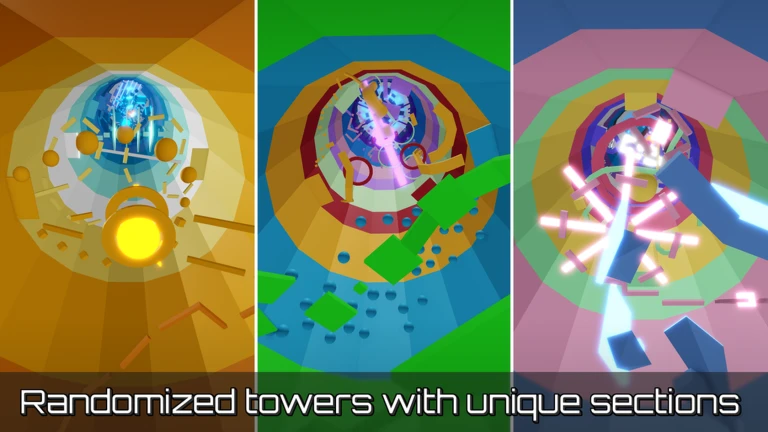
You join a server and climb a tower made of sections that are picked at random. According to the wiki, the standard tower (called a noob tower) has 6 sections and an 8 minute timer. A pro tower has 12 sections and a 10 minute timer, and there is a portal to it under the starting platform. Beginners should start in the noob tower.
Since there are no checkpoints, the whole point is to reach the top before the timer ends. The wiki lists more than 300 different sections, so you will see new ones often and learn them over time.
How to get coins
Coins are the main currency, and you use them in the shop (the studio logo at the bottom left of the screen) for gears and mutators. You do not have to win a tower to earn them. Since a 2020 update you get coins for each section you finish, and the amount grows faster as you get higher. The wiki says a noob tower gives up to 100 coins and a pro tower gives up to 250 coins, and the Double Coins game pass doubles that. Game passes and coin packs cost real money, so ask a parent or guardian before buying anything.
Gears worth knowing
Gears help you for one round only. Prices change with the tower length. These are the wiki prices for a noob tower with 6 sections:
- Trowel (40 coins): places paths to jump on that last 5 seconds, with an 8 second cooldown.
- Speed Coil (60 coins): makes you move faster.
- Hourglass (72 coins): freezes every moving part, including conveyors, and you can switch it on and off.
- Gravity Coil (80 coins): higher jumps and slower falls.
- Hook (80 coins): lets you hook onto something and swing. The rope snaps if it stretches too far.
- Fusion Coil (90 coins): higher jumps and more speed together.
A good beginner plan is to buy a cheap gear for a hard section rather than spending everything at once. The wiki also mentions a secret section called the Gearbox that gives you the shop gears (except the hourglass) for free, but you need to find it yourself.
Skill points and the skill tree
Every time you level up you get 1 skill point, and you spend them in the skill tree, which opens when you click your level at the bottom of the screen. Skill points upgrade your gears. Some examples from the wiki:
- Gravity Coil: a branch that gives double jump costs 14 points. Another branch lowers gravity in three steps costing 1, 3 and 8 points.
- Speed Coil: three speed upgrades costing 1, 2 and 5 points.
- Trowel: bigger blocks, or trusses instead of paths for 5 points.
- Hook: longer range and faster swinging.
Only one branch of a gear can be active at a time, so choose the one that fits how you play. Resetting the tree costs Robux, so think before you spend points. Maxing the whole tree needs level 80.
Tips from the community wiki
- Use shiftlock on PC. Turn it on in settings and press Shift. It makes camera control easier for tight jumps.
- Do not watch the timer. The wiki says focusing on it causes panic. Focus on the next jump.
- Practice the hard sections. Name examples include Hole in the Wall, Neon and Careful Climbing, plus easier ones such as Checkerboards.
- Look for shortcuts. Many sections have a faster route.
- Be careful with mutators. Mutators affect everyone in the server for one round. The wiki says most are not worth it, and effects like high speed or low gravity can make some sections harder.
- Start quickly. After a round everyone returns to the bottom. The wiki says the ladder is faster than the stairs.
- Be kind. Laughing at people who fall is not a good habit, and the wiki asks players not to do it.
Private servers
If you own a VIP server, the Roblox page says you can skip rounds, set the tower size and lock the shop in the settings menu. That is a good place to practice one section at a time.
Quick checklist
- Start in the noob tower and learn the sections.
- Turn on shiftlock and keep your eyes on your character.
- Buy one cheap gear at a time and learn how it behaves.
- Spend skill points on the branch you actually use.