Guides
Catalog Avatar Creator guide: chat commands, /redeem and outfit codes explained
How Catalog Avatar Creator works: chat commands, R6 and R15 switching, the /redeem command and short outfit codes, and how the three differ. As of October 2026.
 Catalog Avatar Creator 55.4K playing
Catalog Avatar Creator lets you try on catalog items for free before you decide whether to buy anything. After reading this guide you will know what the chat commands do, what /redeem is for, how short outfit codes work, and why people mix these three things up. Everything below is as of October 2026.
What the game is
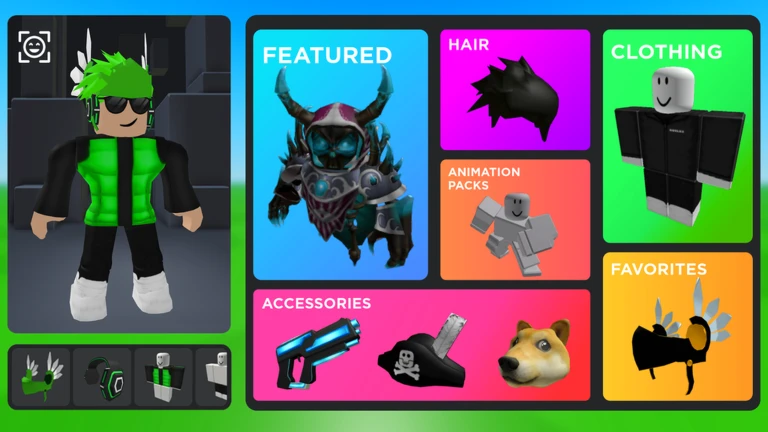
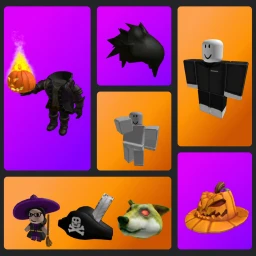
According to the official game description, you can try on accessories, hats, limiteds, hair combos, bundles and animation packs, browse a huge collection of community outfits (the description mentions over 50M), and save avatars you build inside the experience. Items you do buy in the game go to your normal Roblox inventory. Buying costs real money through Robux, so you never need to buy anything just to try a look. Trying items on is free.
The game is about trying looks, not about progression. That is why most of the "systems" are commands and codes.
Chat commands
Commands are typed into the Roblox chat, with the leading slash, and sent with Enter. A recent Bloxodes list (updated August 2026) counts 23 commands and says every player can use all of them. A 2025 Destructoid list is shorter, so treat newer entries as the current picture. Here are the groups.
Avatar changes (session only, nothing saves to your real Roblox avatar):
- /r6 and /r15 switch between the classic blocky body and the modern body
- /headless toggles the headless look
- /korblox and /korblox2 toggle the Korblox right and left leg
- /sshf toggles the Super Super Happy Face
Utilities:
- /speed followed by a number changes your walking speed. Bloxodes says the default is 16 and suggests values like 30 or 50, but no official limits are documented
- /clone makes a copy of your avatar that stays still, and /npc makes a copy that moves by itself
- /booth creates a booth with text you can edit
- /self shows your own profile view and /ref shows an avatar reference
- /clear empties your chat view
- /cmds shows the in-game command list (listed by Bloxodes only)
Servers:
- /vip or /private sends you to a server nobody else can join
- /public sends you to a normal public server
- /voice goes to a voice chat server
- /main returns you to the main game
- /test goes to a developer test server. Sources say it is not meant for normal play, so skip it
On-screen info:
- /fps and /version toggle the FPS and version labels. For more on frame rate, see how to show FPS on Roblox
- /portrait turns on portrait mode for phones. Both sources call it not recommended
R6 versus R15
R6 is the old blocky body with six joints. R15 has fifteen joints, which Bloxodes says works better with layered clothing and modern animations, and most players use it. If an outfit looks odd, try switching with /r6 or /r15 and compare. The switch only affects your look inside the game.
The /redeem command and promo codes
/redeem is different from the other commands. Bloxodes describes it as redeeming a promo code for a cosmetic reward on your Roblox account, typed as /redeem followed by the code. GGRecon describes the same steps in a 2024 article: open chat, type /redeem and the code, press Enter, and the reward should arrive right away.
We do not list promo codes here. Sources disagree about which ones are active, and an old code can stop working at any time. Check the official Roblox group linked from the game page before you try one, and ignore anyone who asks for payment or personal details in return for a code.
Outfit codes
Outfit codes are a separate thing. They are short mixes of letters and numbers (allthings.how gives 1560E9 as an example of the format) that point to an outfit someone saved. They are not typed in chat. According to allthings.how, you open the Community Outfits panel in the game, type the code in the input field, and confirm. The look then loads onto your avatar in the game.
Good to know:
- Codes do not work on the Roblox website or the normal avatar editor
- A code can stop working if the outfit was removed or changed
- Loading a code does not give you the paid items inside it. You can preview the look first and decide later what to get
Menu names can change between updates, so if your screen looks different, look for the community outfits section.
Quick summary of the three
- Chat commands start with a slash and change your look or server for the session
- /redeem takes a promo code and may grant a cosmetic reward on your account
- Outfit codes are short codes entered in the Community Outfits panel, not in chat
Before you start
- Try /r15 first if a look seems broken
- Use /private if you want to experiment without other players around
- Keep spending optional: previewing is free
- Do not trust sites that sell codes or ask for your password
Verified with (5)
We check each fact against the game itself or independent sources and write the text ourselves.