Guides
Facecard Makeup Showdown Beginner Guide: Rounds, Tools and Voting
Starting Facecard: Makeup Showdown on Roblox? Learn how a round works, how themes and voting score you, what the tools do and how to save a look.
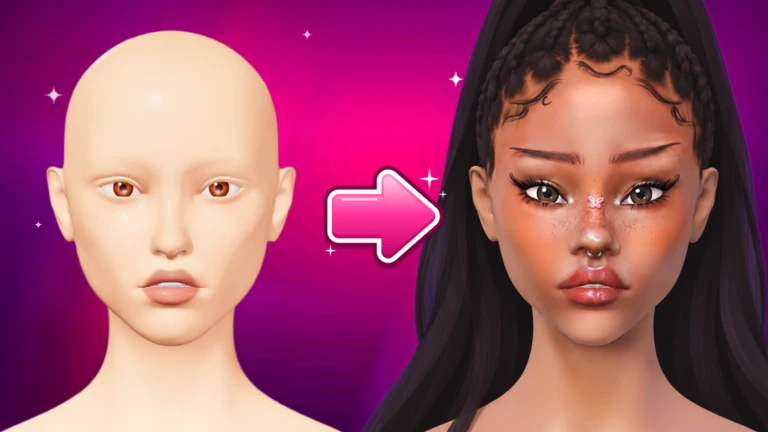
 Facecard: Makeup Showdown 26.7K playing
Facecard: Makeup Showdown is a Roblox dress-up and avatar game where you paint makeup on a face and compete for the highest rating. It was created in October 2026, has passed 25 million visits and about 27,000 players are online right now, with a 99 percent like ratio. This guide explains how a round works, what you can do with the tools and how to avoid the common beginner mistakes. It is based on the game's description and on one detailed guide updated in October 2026, so menu names may change after updates.
## What the game is The creators describe it as a chance to be a makeup artist, use brushes and makeup to perfect a look and beat the competition. There are two ways to play: vote for the best makeup look in a round, or take your time in freeplay. You can also add hairs, lashes or rhinestones to finish a look. The game page lists up to 10 players per server, and the game is free to play.
## How a round works According to the guide, each match has three phases: paint, vote and win.
- Paint: everyone in the server gets the same theme and paints it onto a blank 3D face.
- Vote: players rate every other look from 1 to 5 stars.
- Win: the highest-rated face takes first place.
You can join a running round from the A ROUND IS ON prompt, or press the JOIN ROUND button at the bottom of the screen. On your first visit you also get pop-up tutorial cards about your tools, skin tone, the mirror and keeping your Facecard safe.
## Themes decide the score Each round starts with a title card that explains the theme. The guide's example is Highlight Heaven, which asks players to add glow to the cheekbones, nose and brow bone. Voters rate against the same brief you were given, so read the card closely before you pick a brush. This is the single most useful tip in the guide.
## Tools and tabs The editor has tabs for Base, which includes foundation, Eyes, Lips and Makeup. The Makeup menu has lash styles such as Doll Eye. You can change brush settings before you paint, and layers let you stack your work. A Clear button on the bottom toolbar removes everything you applied, so think before you press it.
## The Lookbook The Lookbook button is at the bottom right of the editor. You can save a look under a name and load it later. The guide advises saving a look before pressing Clear, so you do not lose a good attempt. There is also a More Slots option if you need space for more looks.
## Settings You can open the settings from the makeup station without leaving the round. There are sliders for music and sound effects, and toggles for Reduce Flashes, Name Tags and Blender Mode.
## Rewards and the shop Winning rounds earns stars, cash and new ranks, and the first first-place finish gives the First Lethal Facecard badge. The shop on the right side of the lobby shows rotating daily deals of cosmetics. The guide lists three optional game passes: Increased Layer Limit for 129 Robux, 2x Facecard Cashback for 199 Robux and VIP for 349 Robux. The guide lists all three as optional.
## Quick tips - Read the theme card first, every round. - Save your look in the Lookbook before you clear it. - Check the settings if the flashing effects bother you. - Use freeplay to practice, as the game description suggests.
We could not find a source with exact rank thresholds or the amount of cash a win pays, so we have not listed numbers for them.
Verified with (2)
We check each fact against the game itself or independent sources and write the text ourselves.